
FAQs
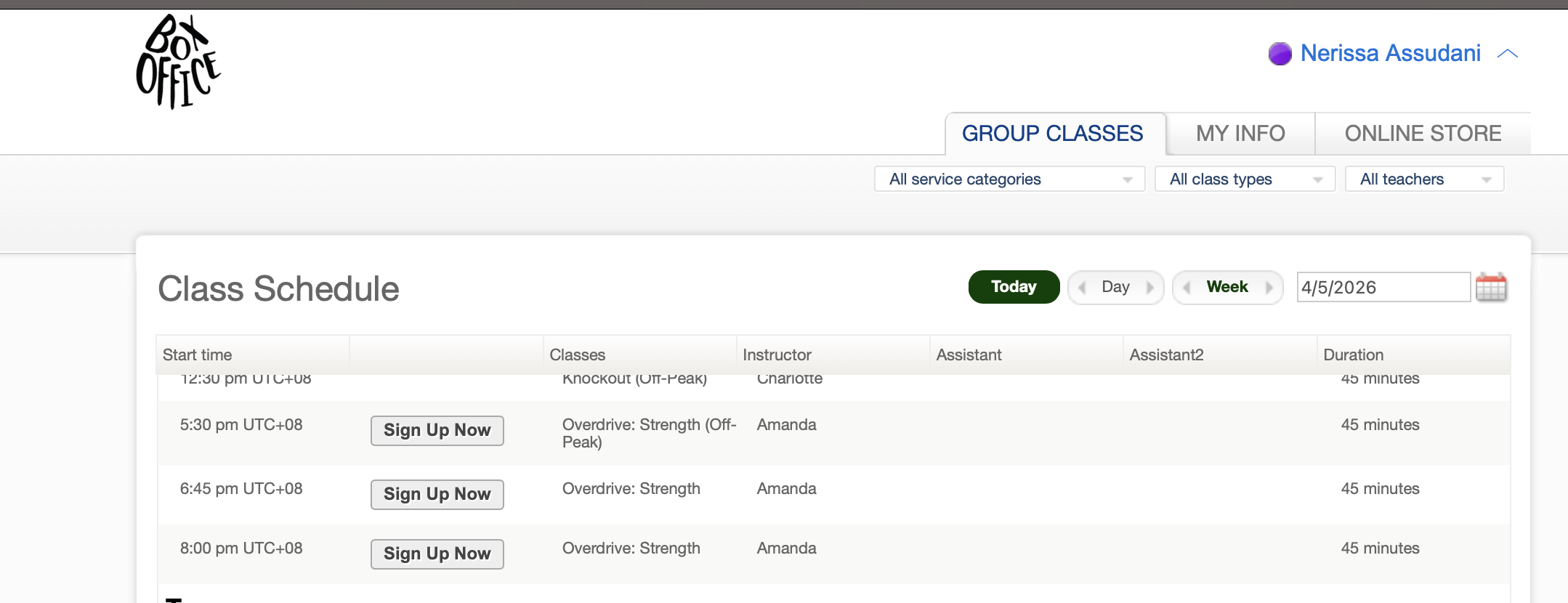
STEP 2: Book your first spot by clicking on" “Sign Up Now”. Make the reservation for “Myself”, then “Book your spot”.
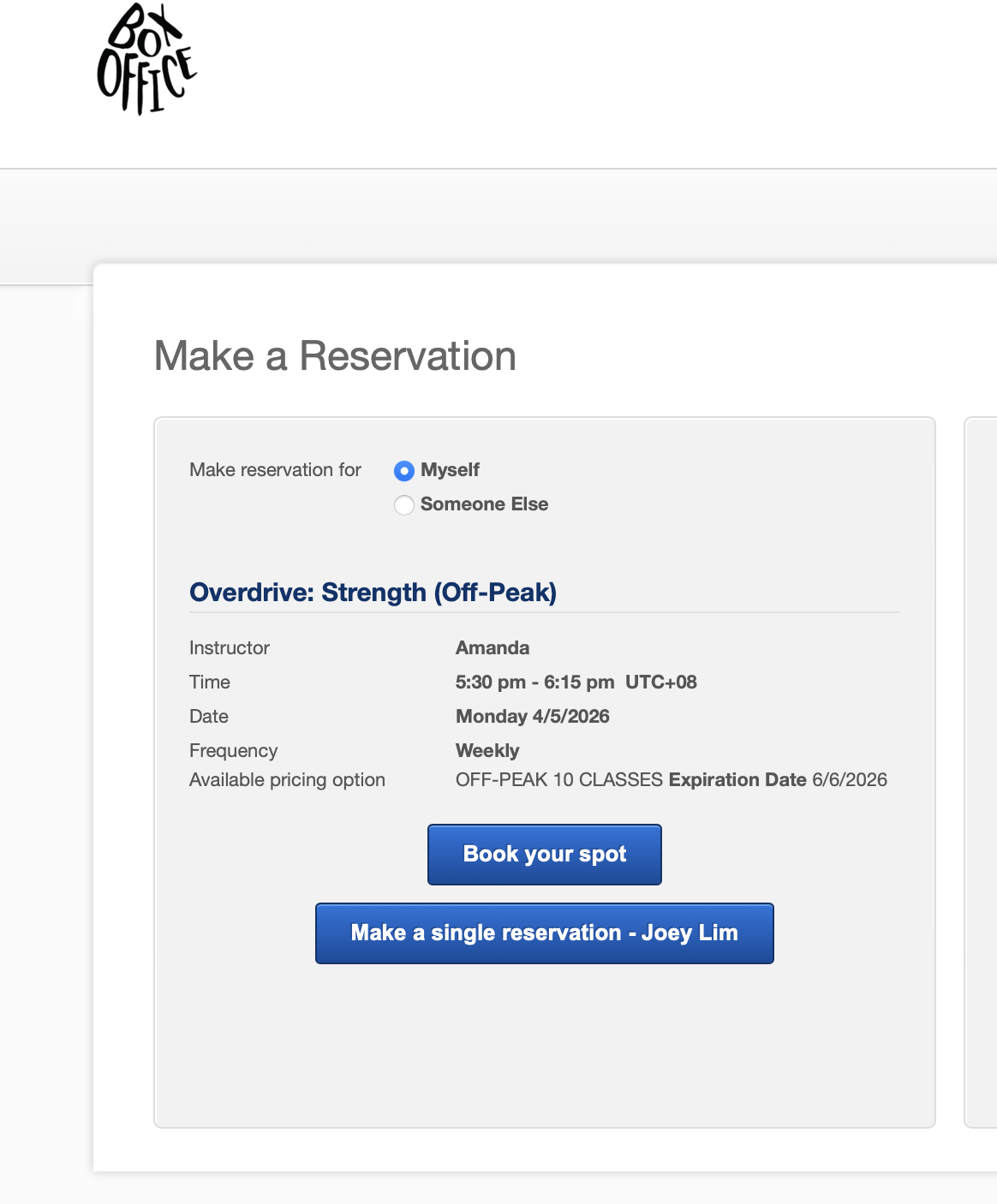
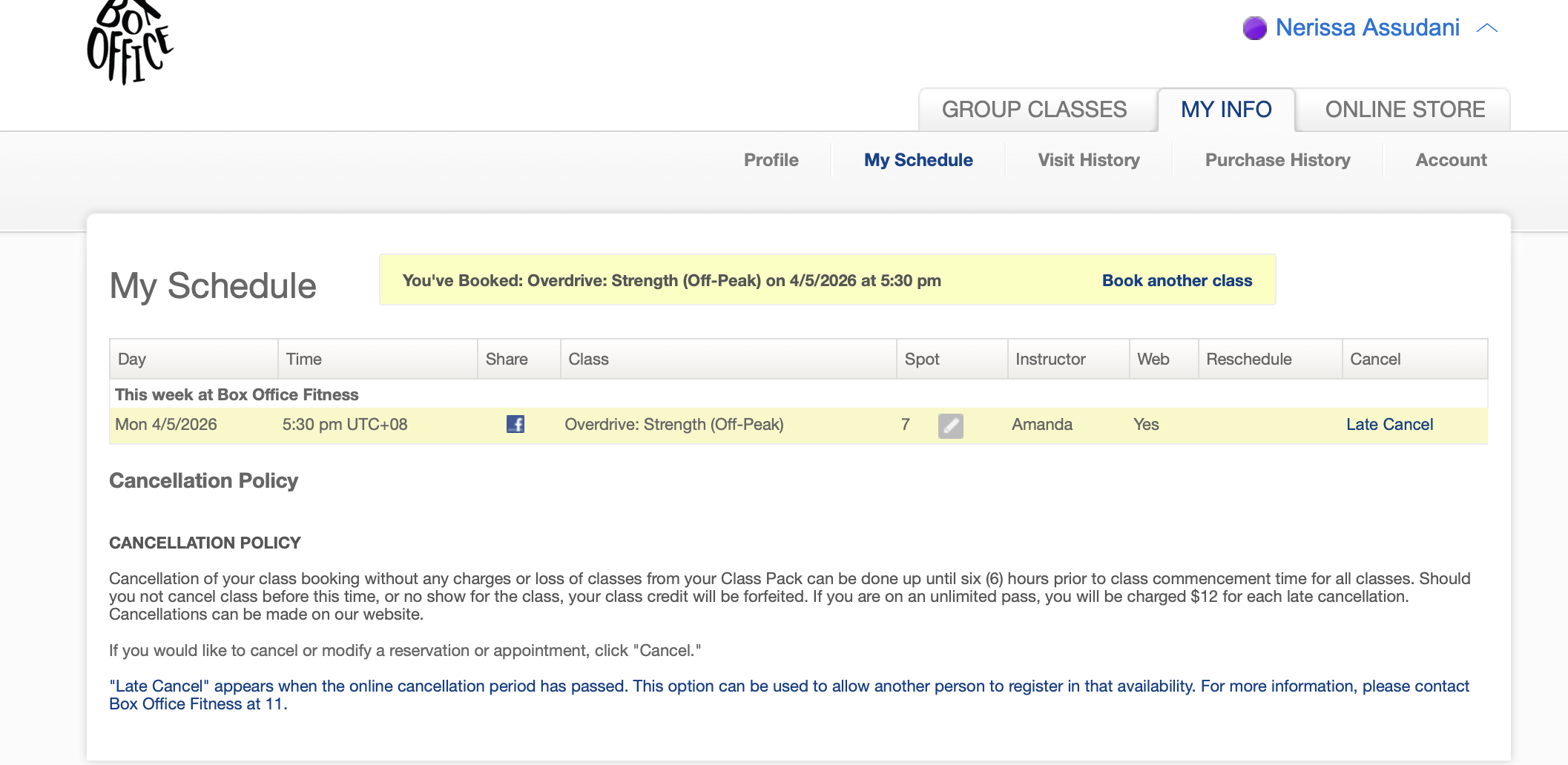
Your spot will be confirmed as seen in the screenshot below.
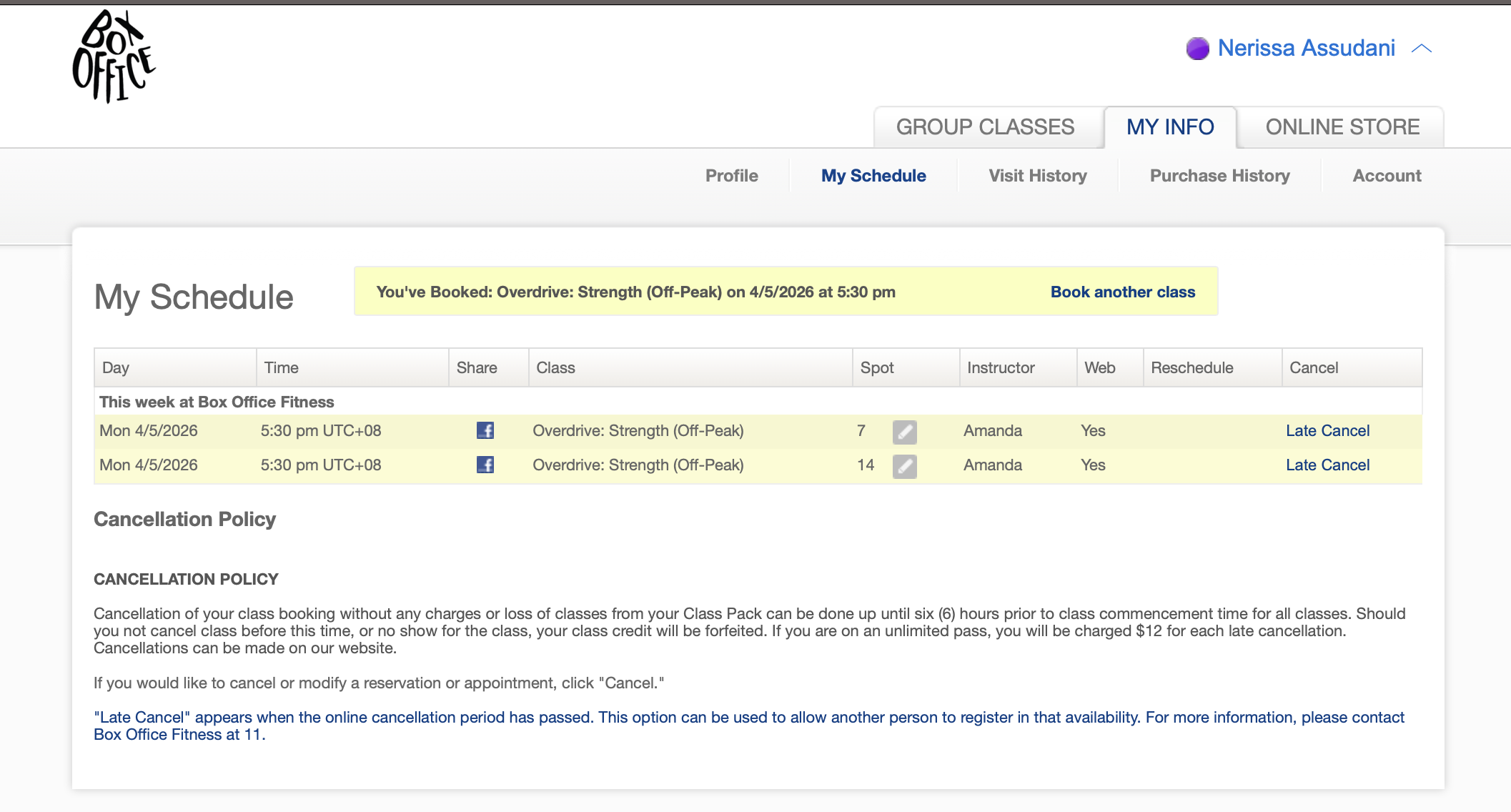
STEP 3: Repeat step 2 to book the second spot in the same class. Make sure to choose the option that you’re making the reservation for “Myself” again and not “Someone Else”. Screenshot below shows a successful multiple spot booking in the same class!
HOW DOES THE WAITLIST WORK?
If a spot opens up, you will receive an email notifying you that you have been added to the class. You may be added to the class as and when a spot becomes available, up to 2 hours before the class start time.
If at any time you wish to be taken off the waitlist, you may do so via our website or the Mindbody app. If you need help, feel free to drop us a DM or email us at hello@boxoffice-fitness.com. If you no longer wish to be on the waitlist and be added to class if a spot opens up, please ensure you remove yourself from the waitlist.
If you are not successfully added to the class from the waitlist, your credit will of course not be deducted.
For Example:
If your class is at 12:30 PM and at 10:25 AM someone drops their spot, you will be automatically enrolled if your name is still on the waitlist. If you do not turn up, your credit will be deducted.
If you decide you no longer want to be on the waitlist, please remove your name from the waitlist.
Thank you! :)